Directory permissions
Permissions
For security reasons, all Unix systems including Linux have file permissions which allow you to control access to directories - who can read, write, or execute a file or command in a directory.
In the extreme left is either a d or hyphen (-) indicating whether this is a directory or a file (occasionally you will also see an l indicating a link). Then you see three groups of the same three letters in the same order: r for read, w for write, x for execute, and the hyphen (-) for no permission given in that type. The first group of three letters is for the owner, the second group for the group, and the third the world. Whoever creates the file is the owner, and if more than one person is working on a project or needs access to this file they are given permission as a group, and finally how the file is open to anyone who has access to the system (the world).
chmod, chown, chgrp
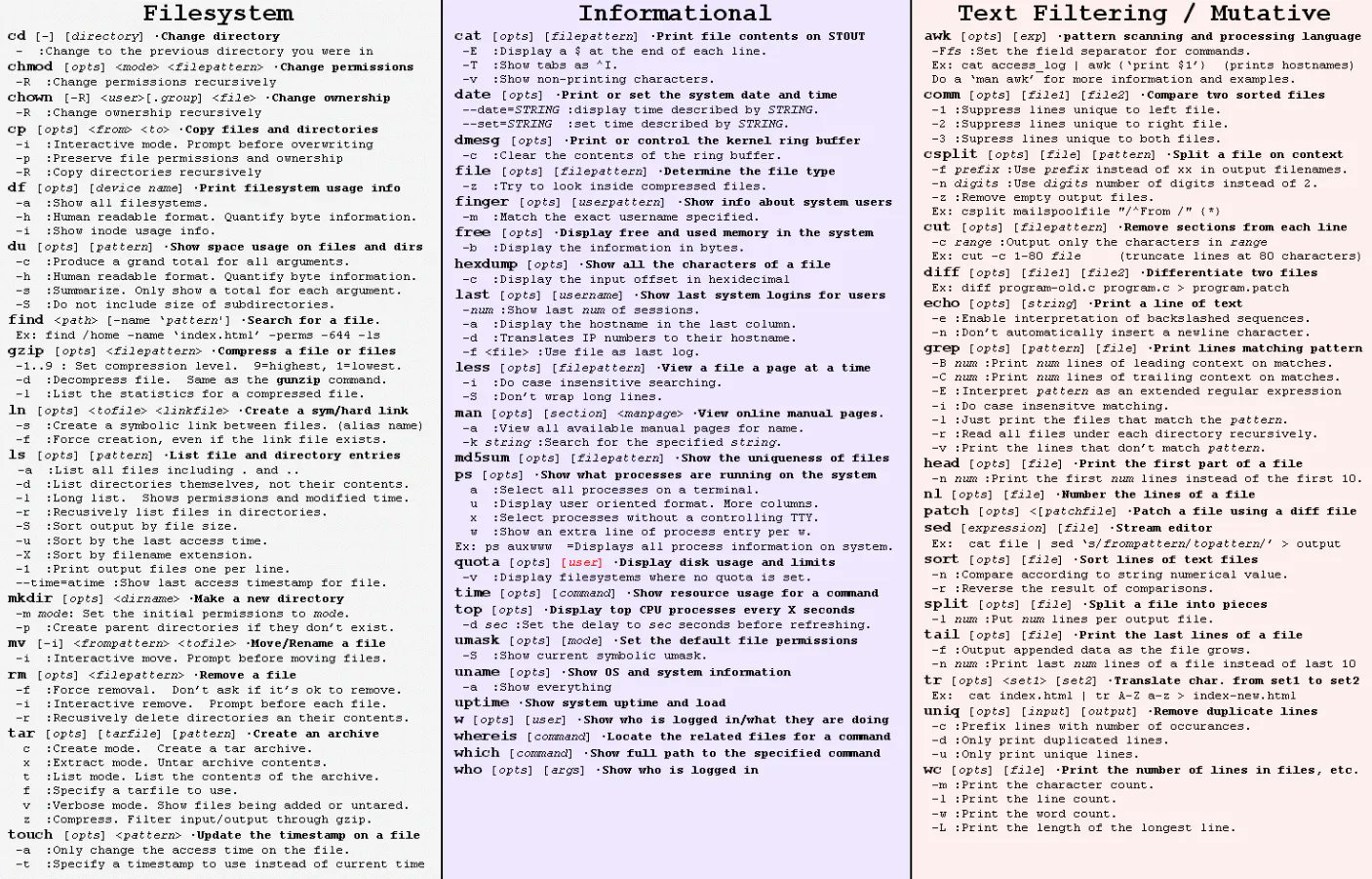
The command to change file permissions is chmod (change mode). There are two ways for doing this: the numeric system and the symbolic system.
The numeric system uses numbers to track permissions. Using the table below you add together the numeric equivalent for the permissions you want.
400 - owner has read permission 200 - owner has write permission 100 - owner has execute permission
040 - group has read permission 020 - group has write permission 010 - group has execute permission
004 - world has read permission 002 - world has write permission 001 - world has execute permission
Thus chmod 764 SomeFile gives the owner permission to read, write, and execute SomeFile; the group has permission to read and write; the world permission to read only.
The other method for changing modes is the symbolic method. With this method, you have to know the existing permissions because the commands are added or removed relative to how permissions are currently set. The plus sign (+) adds a permission, the minus sign (-) removes a permission.
u - user (owner) g - group o - other (world) a - everyone - user, group, and other
r - read permission w - write permission x - execute permission
t - sticky bit
Thus chmod g+x Some File gives permission to the group to execute SomeFile.
In the past Unix crackers used to get around the permissions by messing around with entire directories. The way to prevent this is to set restrictive permissions for the directory using the sticky bit, which makes the directory accessible only to the owner and root without affecting how the individual file permissions are set.
chmod -t The Directory
You can also change the owner with the chown command, and change the group with chgrp. 
Comments