Basic Linux Commands
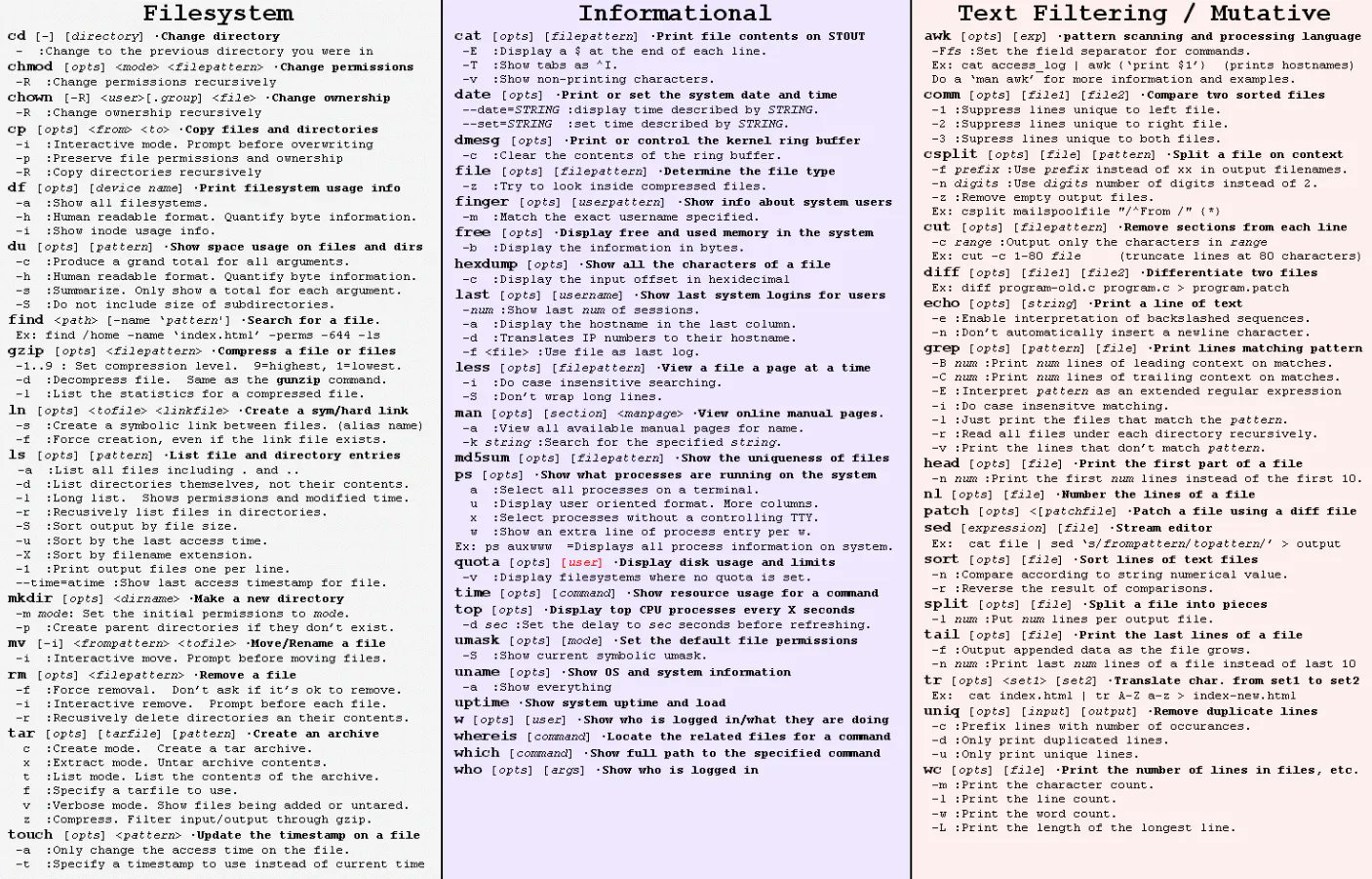
command cd : Use cd change directories example: cd home or complete path must be written cd /root/home
command clear : clean up your command window
command ls: The ls command lists the contents of your current working directory
command mkdir : makes directory
command df : df provides a very quick check of your file system disk space.
command du : du display usage of the disk space example du -a
command finger :finger allows you to see who else is on the system or get detailed information about a person who has access to the system.
command man : man followed by a command will give detailed information about that command Example: man ls
command logout : logout will log your account out of the system
command find : find will locate a files/directories quickly across entire filesystem
command arp : Command mostly used for checking existing Ethernet connectivity and IP address
command mv : to move a file from one directory to another directory this command can also be used to rename a file by moving the file in same directory, but giving it a different file name
example : mv file1 file2 moves or(renames) file1 to file2
command rm : rm command is used to remove(delete) a file
command rmdir : rmdir removes a directory
command clear : clean up your command window
command ls: The ls command lists the contents of your current working directory
command mkdir : makes directory
command df : df provides a very quick check of your file system disk space.
command du : du display usage of the disk space example du -a
command finger :finger allows you to see who else is on the system or get detailed information about a person who has access to the system.
command man : man followed by a command will give detailed information about that command Example: man ls
command logout : logout will log your account out of the system
command find : find will locate a files/directories quickly across entire filesystem
command arp : Command mostly used for checking existing Ethernet connectivity and IP address
command mv : to move a file from one directory to another directory this command can also be used to rename a file by moving the file in same directory, but giving it a different file name
example : mv file1 file2 moves or(renames) file1 to file2
command rm : rm command is used to remove(delete) a file
command rmdir : rmdir removes a directory

Comments